






SpiceJet Web Check-in


IndiGo

Air India

Air India Express

Akasa Air

SpiceJet

SpiceJet Automatic Web Check-In with ixigo
ixigo Smart Web Check-in is an intelligent auto web check-in feature that revolutionises your SpiceJet flight experience. This innovative online web check-in service, launched in 2022, has transformed how SpiceJet travellers prepare for their journey by eliminating manual web check-in troubles.
Here's what makes our SpiceJet web check-in online special:
- Automated scheduling that works 24/7 - Never miss the SpiceJet web check-in window
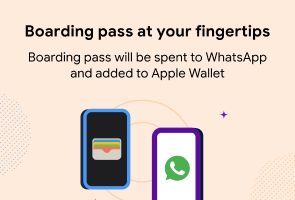
- Instant boarding pass delivery via WhatsApp - Complete SpiceJet web check-in without opening multiple apps
- Over 1,400 boarding passes generated daily - Trusted by thousands for automatic SpiceJet web check-in
- Seamless integration with SpiceJet - Works perfectly with SpiceJet's web check-in system
How to Do Automatic SpiceJet Web Check-in Online on ixigo
Whether you booked SpiceJet with ixigo or anywhere else - getting your boarding pass automatically is simple. Follow these easy steps:
For SpiceJet Bookings Made on ixigo:
- Open your SpiceJet booking details in the ixigo app or website
- Look for "Smart Web Check-in" or "Schedule Web Check-in" option
- Tap "Schedule" to activate automatic SpiceJet web check-in
For SpiceJet Bookings Made Anywhere Else:
- Visit the ixigo SpiceJet web check-in page
- Enter your SpiceJet flight details for web check-in online:
- PNR number (6-digit booking reference)
- Last name (as per ticket)
- SpiceJet confirmation details
- Tap "Schedule" to enable automatic SpiceJet web check-in
Once scheduled, ixigo completes your SpiceJet web check-in online automatically when the check-in window opens—no manual intervention needed!
Automatic SpiceJet Web check-in is currently available for:
- Domestic one-way SpiceJet flights
- All SpiceJet routes within India
- Direct SpiceJet flights
Currently Not Available For:
- International SpiceJet flights
- Round trip bookings
- Multi-city itineraries
We're constantly working to expand automatic SpiceJet web check-in to more routes.
Why Choose ixigo Automatic SpiceJet Web Check-in?
Effortless SpiceJet Scheduling
Schedule your SpiceJet web check-in with a single tap. Forget about tracking when the SpiceJet check-in window opens—ixigo's Smart Web Check-in automatically completes your SpiceJet web check-in online at the right time, ensuring you never miss the check-in window.
Instant SpiceJet Boarding Pass Access
- Receive your SpiceJet boarding pass directly on WhatsApp
- Unique, scannable format—no zooming required
- Add to Apple Wallet or Google Wallet automatically
- Real-time updates for SpiceJet gate numbers and boarding times
Optimized for SpiceJet
Fully compatible with SpiceJet's check-in system, ensuring a smooth web check-in experience for all SpiceJet passengers.
Spicejet Web Checkin FAQs
I didn't book my Spicejet flight through ixigo. Can I still use automatic web check-in?
Do I need to pay for automatic web check-in service?
When should I schedule my Spicejet web check-in online?
What information do I need to schedule Spicejet web check-in?
How will I receive my Spicejet boarding pass after web check-in?
What if I want to choose a specific seat during Spicejet web check-in online?
Can I schedule Spicejet web check-in online for multiple passengers?
Is Spicejet online web check-in mandatory for domestic flights?
- Skip long airport check-in queues
- Secure better seat options
- Save time at the airport
- Get your boarding pass in advance
Useful Resources
SpiceJet Flight BookingSpiceJet Flight StatusSpiceJet Web Check-inFlight Ticket BookingFlight TrackerAirline Comparison
SpiceJet vs Alliance AirSpiceJet vs Star AirSpiceJet vs IndiGoSpiceJet vs Akasa AirSpiceJet vs Air India ExpressDomestic Airlines Web Check-in
Indigo Web Check-inAir India Web Check-inAirIndia Express Web Check-inAkasa Air Web Check-in

© 2026 Le Travenues Technology Ltd. India. All brands are trademarks of their respective owners