

ixigo.com

Departure Date

Fri, 05 Jun

Tomorrow

Tatkal Open

Day After

Tatkal Open

Get a full train fare refund

₹0 cancellation fee

₹0 cancellation fee

Instant full train fare refunds

Instant full train fare refunds

24x7 premium customer support

24x7 premium customer support

No documentation required

No documentation required

Confirmed Train Ticket or 3X Refund

IRCTC Train Ticket Booking

Book train tickets quickly with ixigo and skip long queues at the station. Check train schedules, plan your journey, and confirm your booking in just a few clicks.

Online Train Booking on ixigo

ixigo is one of the top-rated IRCTC-Authorised platforms for a seamless train ticket booking experience. With ixigo, you can easily book train tickets online while enjoying ₹0 PG fee on UPI payments, exclusive train ticket offers on debit and credit cards, and quick Tatkal ticket booking. We also provide live train running status, PNR status updates, seat availability checks, and more on both the app and the website.

Why Book Train Tickets with ixigo?

Here are some reasons why 100+ millions of travellers choose ixigo for booking train tickets:

How to Book IRCTC Train Tickets on ixigo?

Here are the steps to book train tickets online with ixigo:

  • Step 1: Visit ixigo and Choose Your Destination

    Open the ixigo website or app, select your source and destination, and choose your journey date.

  • Step 2: Select Class and Find Available Trains

    Choose your preferred class, such as First Class, Second AC, Third AC, or Sleeper. Select the train that best suits your journey from the list of available trains.

  • Step 3: Add Passenger Details and IRCTC Login ID

    Fill in the passenger details and choose your berth preferences. Log in using your IRCTC user ID and password. Create a new user ID if you don't have one.

  • Step 4: Choose a Payment Method and Complete Booking

    You can choose from several payment options and proceed to complete your train ticket booking.

  • Step 5: Get a Confirmation Message

    You will then receive a confirmation on your registered email ID and SMS on your mobile number.

IRCTC Next Generation Ticket Booking

Established in 1999, Indian Railway Catering and Tourism Corporation (IRCTC) is the official online ticketing arm of Indian Railways, offering railway ticketing, catering, and tourism services to passengers across India. Its online reservation platform, IRCTC next generation e-Ticketing System, allows travellers to book train tickets online conveniently. To improve security and streamline the reservation process, passengers are advised to link Aadhaar to their IRCTC account. Aadhaar linking enables smoother authentication during train bookings, helping ensure a more secure and transparent ticketing system.


The total number of trains running today is 18,565, as last updated on 2026-06-05


IRCTC Login — Access Your Account on ixigo

With ixigo, you can register & navigate the next-generation IRCTC login process, reset your password and more. You can also recover a deactivated IRCTC ID, update profile details, and easily manage your bookings.

How to Log in to Your IRCTC Account

Follow these steps to log in to your IRCTC account on ixigo:

  • Open the ixigo Trains app.
  • Enter your journey details, including departure station, arrival station, travel date, and preferred class.
  • Add traveller details for the passengers.
  • Tap ‘Pay Now’ to proceed with the payment.
  • After the payment is successful, enter your Login ID & password to complete the booking.

How to Create an IRCTC Account

Create an IRCTC login ID and password by following the steps below:

  • Open the ixigo Trains app.
  • Tap on the profile icon at the bottom right of the page.
  • Now, tap on 'Link your IRCTC Account'.
  • You will see 'IRCTC username'. Tap on it.
  • A pop-up will appear. Click on 'Register' located at the bottom right.
  • Now, fill in the required details and proceed to get an OTP.
  • Please enter the OTP and verify your email ID and mobile number.
  • Your IRCTC account will be successfully created.

How to Recover an IRCTC Account

You can easily recover your IRCTC login ID by following the steps below:

  • Open the ixigo app.
  • Tap on the profile icon at the bottom right of the page.
  • Now, go to 'Link your IRCTC Account'.
  • Then, click on 'Forgot your IRCTC User ID'.
  • Enter your registered email ID or mobile number and proceed.

How to Register as a New User on IRCTC

Here are the steps to register as a new user on IRCTC:

  • Open the ixigo trains app.
  • Tap on the profile icon at the bottom right of the page.
  • Now, go to 'Link your IRCTC Account'.
  • Then, click on 'Register on IRCTC'.
  • Enter your details and proceed.

Check IRCTC cancellation charges and refund rules here.

IRCTC Ticket Booking Timings & Rules

Train ticket booking timings 00:20 AM to 11:45 PM
IRCTC site maintenance window 11:45 PM to 12:20 AM
Tatkal booking timings for AC berth 10:00 AM – 10:30 AM (1 day before journey)
Tatkal booking timings for Non-AC berth 11:00 AM – 11:30 AM (1 day before journey)
Premium Tatkal booking timings Same as Tatkal
Passengers allowed in Tatkal per PNR 4 passengers (max.)
FTR (Full Tariff Rate) bookings 30 days to 6 months in advance
First chart preparation 8-10 hours before the train’s departure
Second (final) chart preparation 30 minutes to 1 hour before the train’s departure
Senior citizen quota Available in GN quota, not allowed in Tatkal quota
Refunds after chart preparation Only through the TDR request
Refund processing time 3-7 business days
Monthly train ticket limit per user 24 for users with an Aadhaar number linked and 12 for others
Maximum train tickets per user ID in a day A maximum of two tickets per user ID in a day, between 8:00 AM and 12:00 PM for Tatkal bookings


IRCTC Train Ticket Fares by Travel Class

Train ticket fares depend on the class of travel and the type of coach selected. Check the table below:

Travel Class Minimum Distance for Charge Basic Fare at Minimum Distance Reservation Fee Supplementary Charge for Superfast Trains
Second Class 50 Kms ₹30 ₹15 ₹15
Sleeper Class 200 Kms ₹126 ₹20 ₹30
AC Chair Car 150 Kms ₹205 ₹40 ₹45
AC 3 Tier 300 Kms ₹440–470 ₹40 ₹45
First Class 100 Kms ₹232 ₹50 ₹45
Executive Class N/A N/A ₹60 ₹75


Valid ID Proofs for Train Travel

You don't need to enter ID details while booking train tickets on the app. However, passengers must carry a valid ID proof during their journey. The Travelling Ticket Examiner (TTE) will check your ID while verifying your ticket in the coach and may assist with seat allocation. Make sure to carry the original version of any of the following ID proofs:

  • Aadhaar Card
  • Voter ID
  • Passport
  • Driving License
  • PAN Card
  • Photo ID issued by the Central/State Government
  • Student ID with photograph
  • Nationalized Bank Passbook with a photograph
  • Credit Card with laminated photograph
  • Any other photo ID card with a serial number

Train Booking Features on ixigo

  • Alternate Travel Plan

    Avoid the uncertainty of waitlisted tickets with the Alternate Travel Plan. Simply select this option while booking your train ticket and get up to 3X refund if your ticket remains waitlisted. T&C Apply!

  • Free Cancellation with Assured

    With Assured, you can enjoy free cancellation and instant refunds on eligible bookings, making your travel plans more flexible.

  • Check PNR Status

    PNR Status allows you to check the current status of your booked ticket, letting you know if it's confirmed or not. ixigo provides the Indian Railways PNR Prediction with highest accuracy of train tickets booked through its app or website.

  • Check Train Running Status

    Check your train running status on ixigo by just entering the train number or station name and get your train status.

  • Order Food on Train

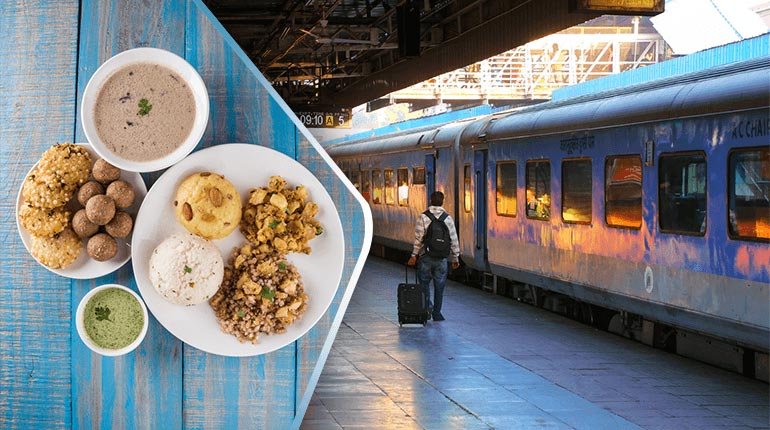
    Get fresh & delicious meals delivered right to your seat with our Order Food on Train feature.

  • Check Train Seat Availability

    Use ixigo’s train seat availability feature to find out the seat or berth availability on your train and check the lowest train ticket price. You can make online train ticket reservations according to your preferred options - date of travel, train halt in minutes and train route.

Frequently Asked Questions (FAQs)

Q. How can I check my booking history on IRCTC?

A: To check your booking history, follow these simple steps:

  • Visit the IRCTC website.
  • Log in using your IRCTC Login ID and password.
  • Go to the "My Account" section.
  • Click on "My Transactions" and select "Booked Ticket History."
  • You will be able to view all your past train ticket bookings.

Q. Can I change my IRCTC login ID?

A: Creating your IRCTC login ID is a one-time registration process. Once you have registered, you cannot change your username or the login credentials for the registered email address.

Q. What should I do if I have not received the IRCTC OTP?

A: If you have not received the OTP, you can try the following steps:

  • Check your network connection to ensure your mobile phone has a proper signal.
  • Wait for a few minutes, as OTP delivery may sometimes be delayed due to network traffic.
  • Click on the "Resend OTP" option on the IRCTC login or booking page.
  • Verify your registered mobile number and email ID.
  • Check your spam or junk folder if the OTP was sent to your email.

If the issue continues, contact IRCTC customer support or try logging in again after some time.

Q. How can I link my Aadhaar to my IRCTC account using the ixigo app?

A: You can link your Aadhaar following these simple steps:

  • Open the ixigo Trains app and tap on "Link Your Aadhaar."
  • You will be redirected to the IRCTC login page within the app.
  • Enter your User ID, password, and CAPTCHA, then sign in.
  • On the Aadhaar KYC page, enter your 12-digit Aadhaar number.
  • Tap "Send OTP."
  • Enter the OTP sent to the mobile number linked with your Aadhaar and verify it.

Once the OTP is verified, your Aadhaar will be successfully linked.

Q. How can I book train tickets by mobile?

A: You can book railway tickets from your mobile using the ixigo trains app, or by visiting the official website. Simply choose your route, date and preferred seat; update passenger details (including the user ID); and make the payment to book your ticket. Alternatively, you can also book train tickets on ConfirmTkt, powered by ixigo.

Q. How do I cancel the train ticket after the train has departed?

A: A confirmed train ticket can be cancelled anytime before chart preparation, though cancellation charges vary depending on how close the cancellation is to the train's departure time. Tickets booked online cannot be cancelled once the chart has been prepared.

Q. What is TDR in your train ticket?

A: TDR refers to the ticket deposit receipt. Passengers who have a train ticket but have not travelled, and want to apply for a refund, can file for a TDR online. If the train chart is not prepared, users can cancel their tickets online. It is only after a chart is ready that a TDR needs to be filed for a refund.

Q. How can I pay for my train booking on ixigo?

A: You can complete your train ticket booking on ixigo using credit/debit cards, net banking, or UPI. Choose the payment method that suits you best for a hassle-free transaction. Enjoy zero payment gateway charges with your ixigo AU Bank Credit Card.

Q. How can I print my train ticket without logging in?

A: Your train ticket can be printed using your PNR number on the IRCTC website without logging in. Alternatively, you can download your ticket via SMS.

Q. Are children charged for train ticket booking?

A: Children under 5 years of age are not charged for a train journey. Children between 5 and 12 years of age are charged fully if you have opted for a berth separately. However, if a berth/seat is not required for a child between 5 and 12 years of age, then only half of the adult traveller fare will be applicable.

banner-image

Get more with our ixigo app

Seamless Train Ticket Bookings

Seamless Train Ticket Bookings

Free Cancellation and Instant Refunds

Free Cancellation and Instant Refunds

₹0 Payment Gateway Fees via UPI

₹0 Payment Gateway Fees via UPI

app-install-hero-icon
play-store-iconapp-store-icon

4.8

rating-icon
qr-code-image

Scan to Download

playstore
appStore

© 2026 Le Travenues Technology Ltd. India. All brands are trademarks of their respective owners.

facebooktwitterinstgramlinkedinyoutube