





Link Aadhaar with IRCTC
Indian Railways has now made it mandatory to link Aadhaar with your IRCTC account for booking Tatkal tickets, aiming to enhance security and prevent misuse of the quota.
For frequent travellers, linking Aadhaar is not just important, it's beneficial. Aadhaar-verified users can book up to 24 train tickets per month. This simple step ensures smoother bookings.
Watch This Step-by-Step Video Guide to Link Your Aadhaar to Your IRCTC Account.
How to Link Aadhaar in IRCTC?
Before booking the train ticket, users must link Aadhaar to IRCTC for a hassle-free experience and to avail several benefits. The IRCTC Aadhaar link process can be completed by following the steps below:
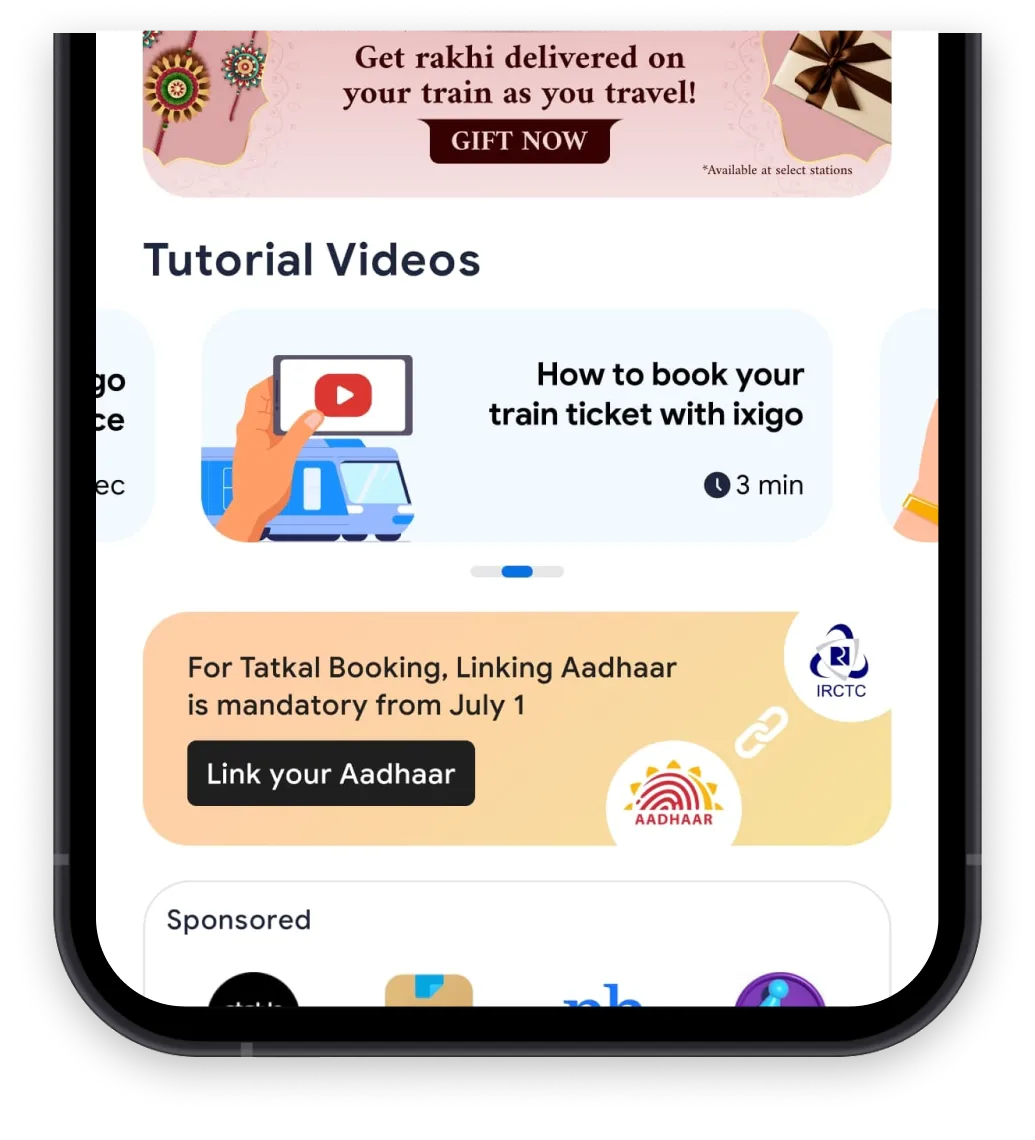
Step 1: Open the ixigo Trains app. Tap 'Link Your Aadhaar' on the homepage.
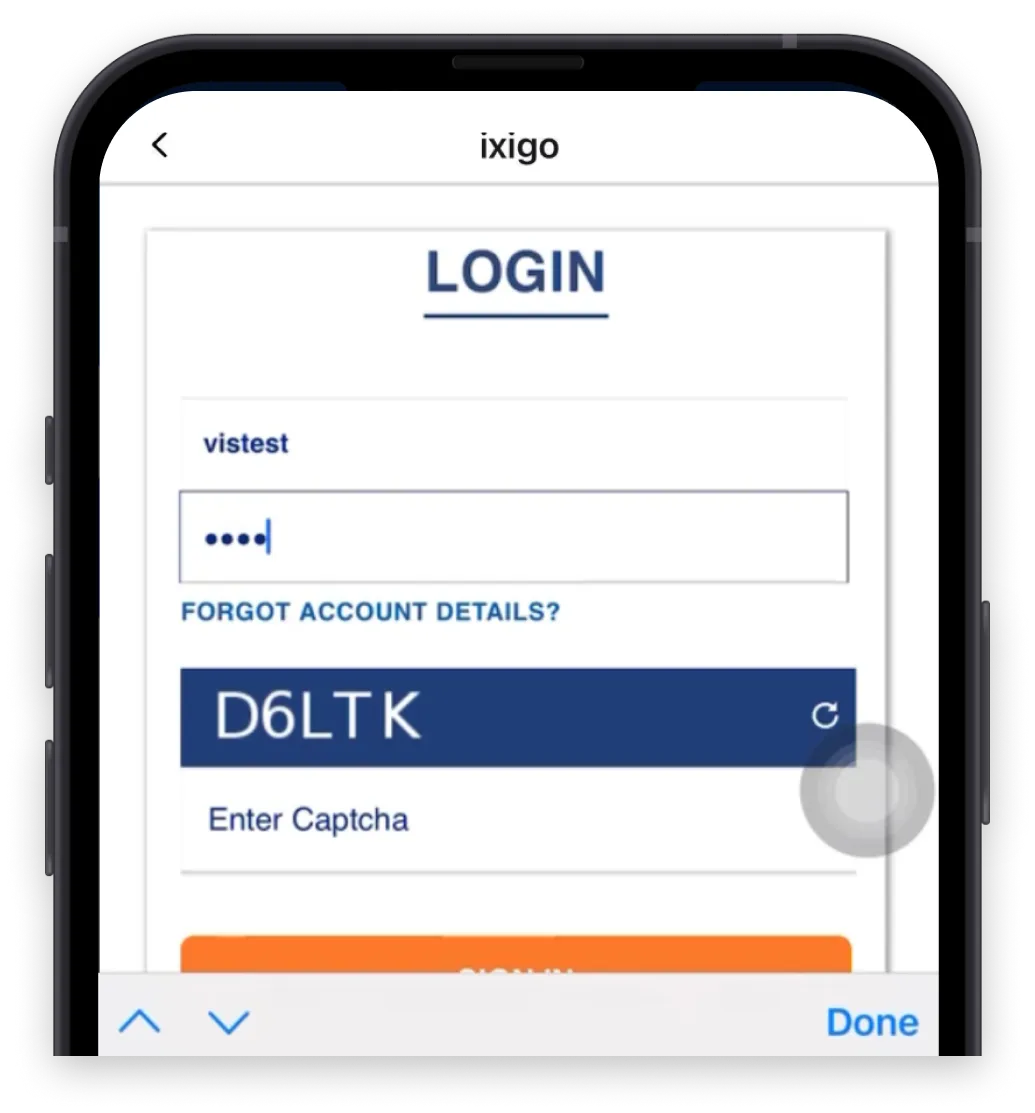
Step 2: The IRCTC login screen will appear. Enter your username, password, and CAPTCHA, then tap 'Sign In'.
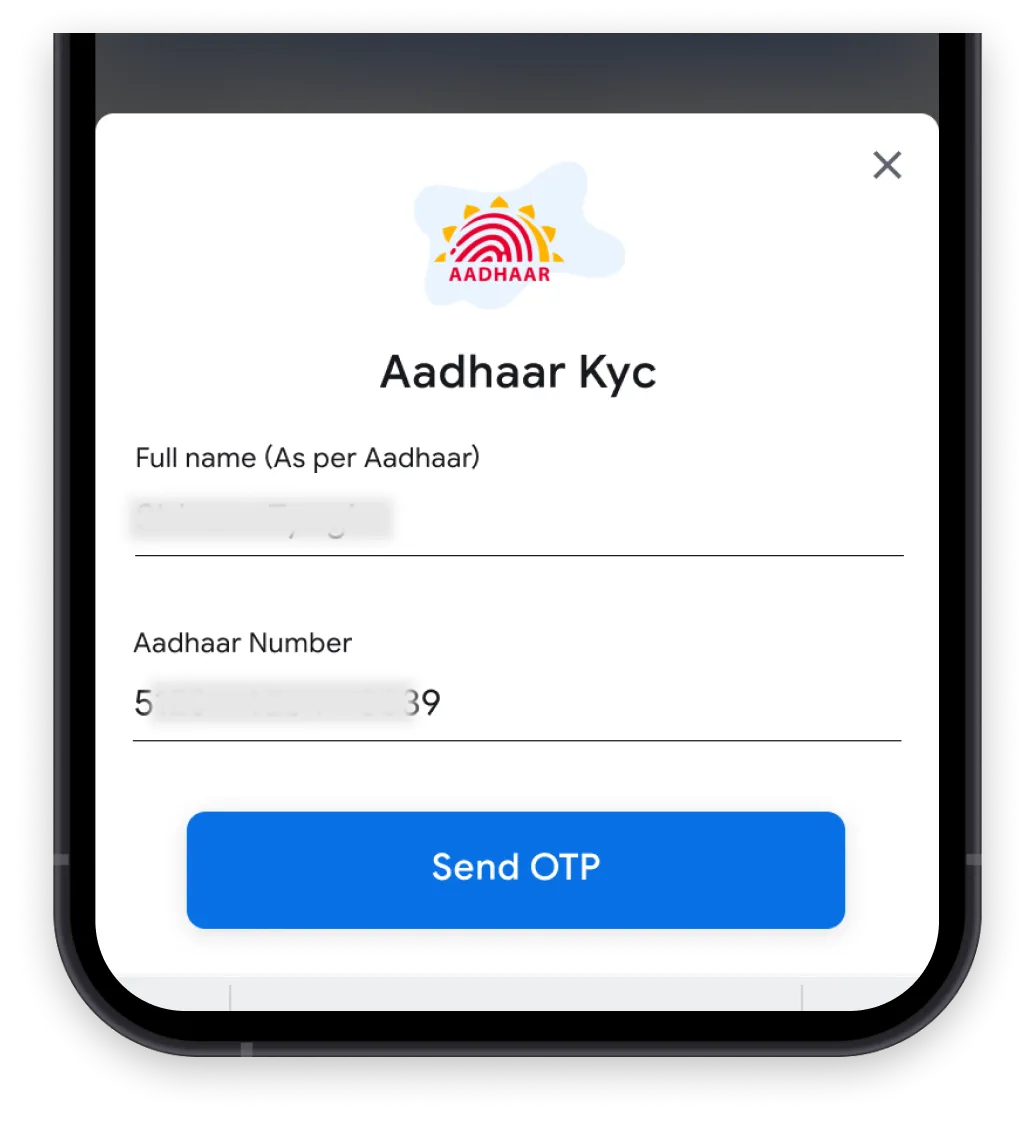
Step 3: The IRCTC Aadhaar KYC page will open. Enter your Aadhaar number and tap 'Send OTP' to proceed.
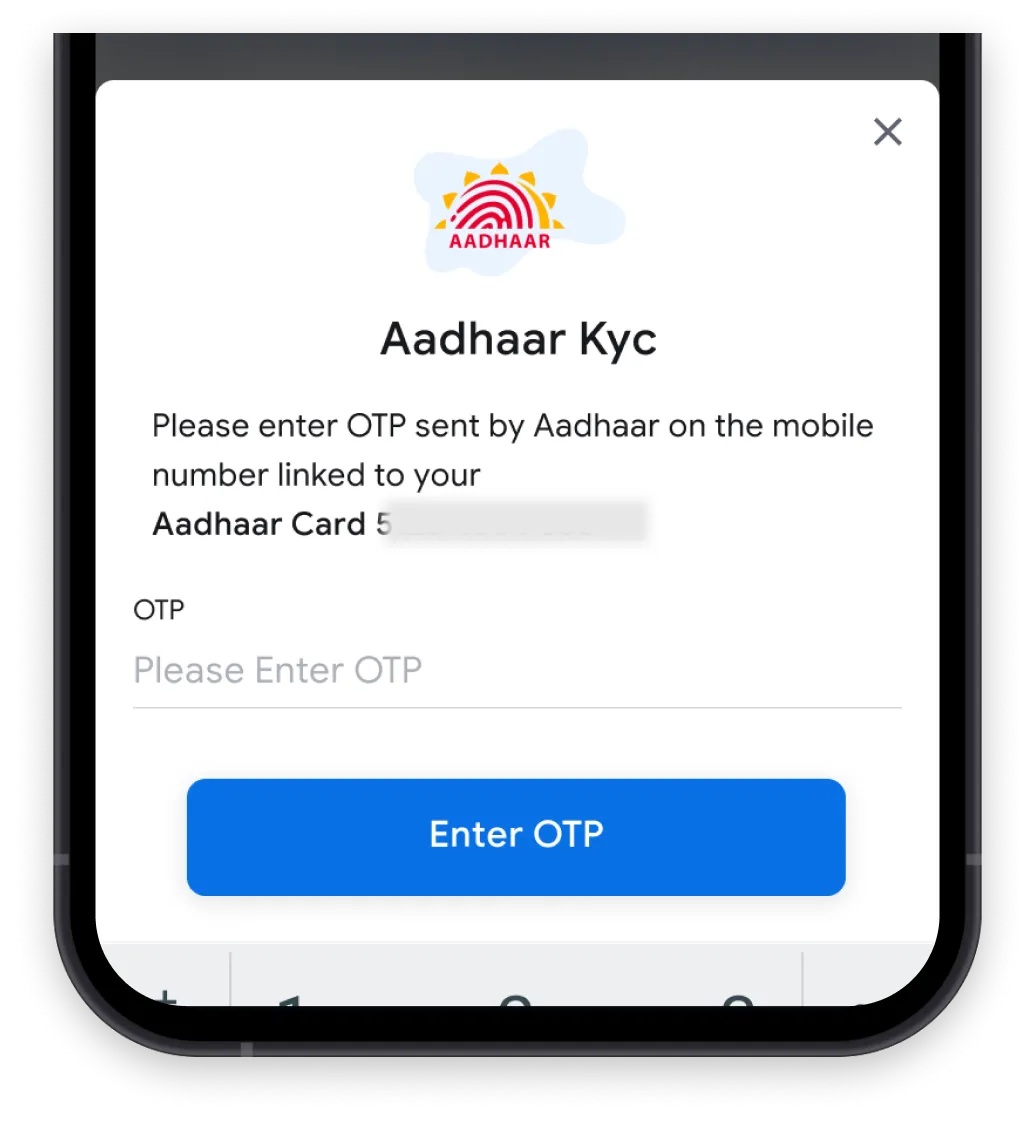
Step 4: Tap 'Enter OTP' after entering the OTP received on your Aadhaar-linked mobile number.
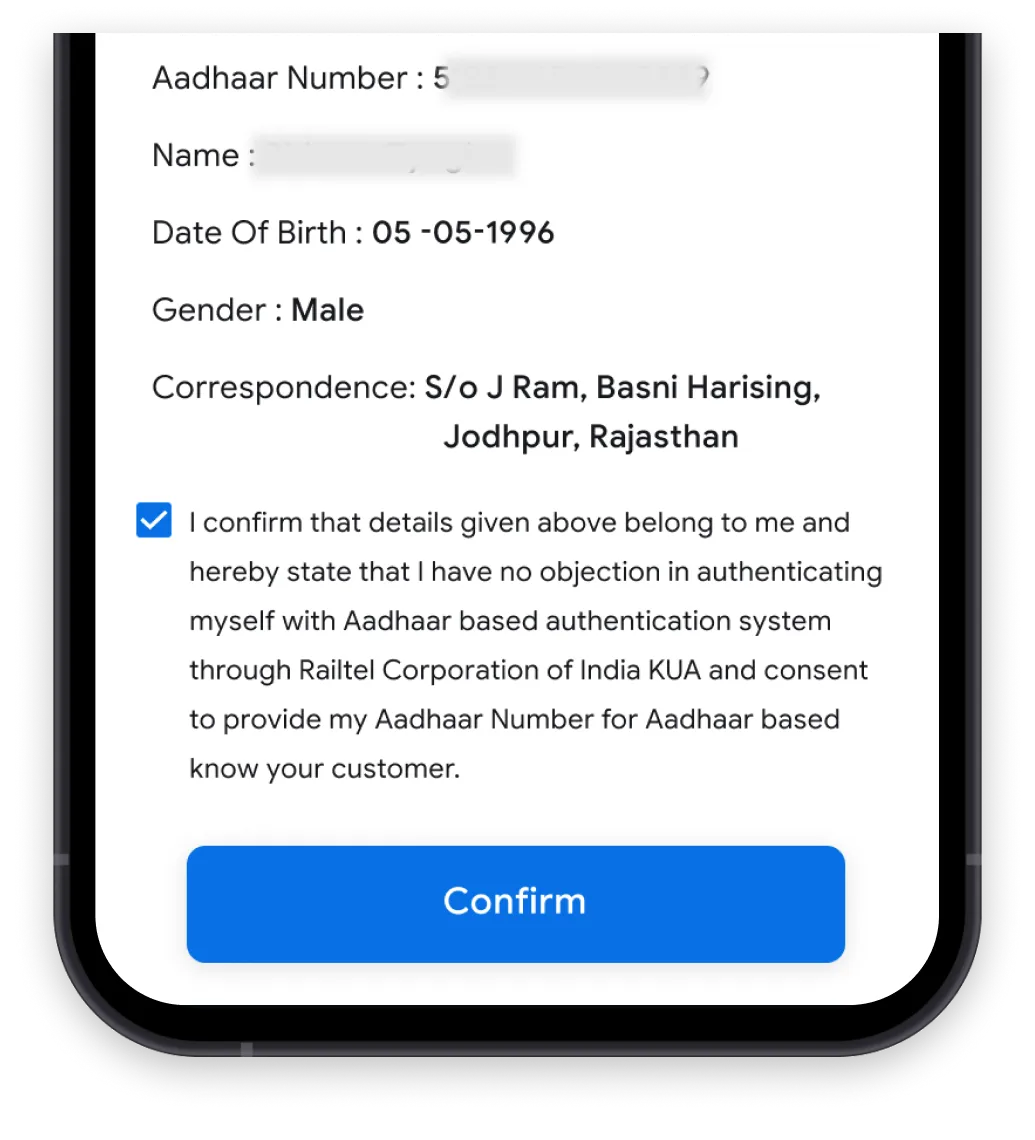
Step 5: After OTP verification, tap 'Confirm' to proceed.
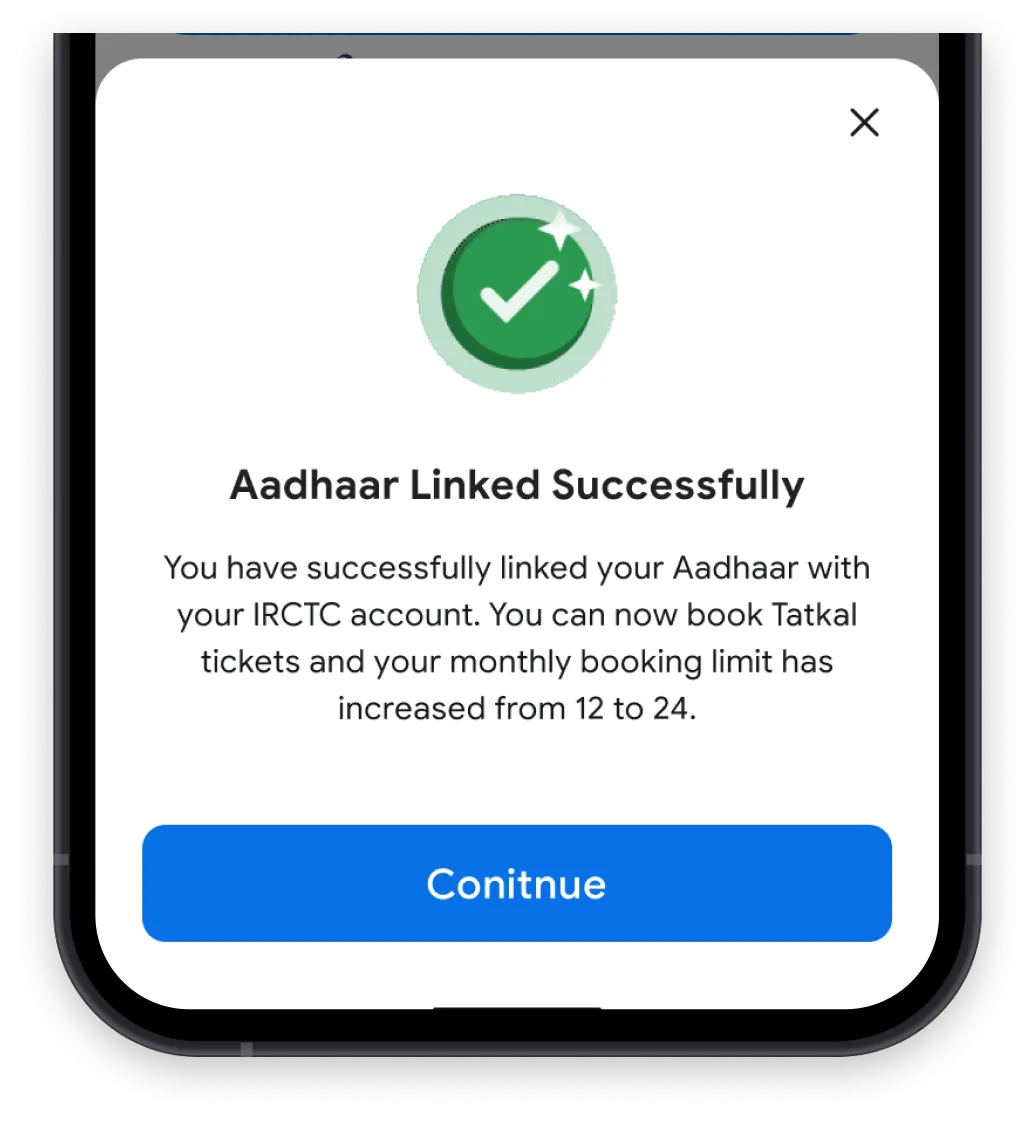
Step 6: A confirmation message will appear once your Aadhaar has been successfully linked.

How to Add Aadhaar-Verified Passengers to Your IRCTC Account?
Follow the steps below to add an Aadhaar-verified passenger to your IRCTC account:
Once the process is complete, the details of the new passenger will appear in the Master List with a 'Pending' status. After verification, this status will automatically change to 'Verified.' No OTP verification is required for this process.
Passengers already present in the Master List can also be Aadhaar-verified at any time by clicking on the 'Edit' option next to their details.
How to Select an Aadhaar-Verified Passenger During Ticket Booking?
To book tickets using Aadhaar-verified passenger details already saved in your Master List, follow these steps:
Benefits of Linking Aadhaar with IRCTC
There are many benefits of linking Aadhaar with IRCTC. Here’s how it enhances your travel experience:
-
Hassle-Free Ticket Booking
Once you complete your IRCTC Aadhaar verification, your details are saved securely. This means you no longer have to enter passenger info every time, making the booking process smoother.
-
Book More Tickets Every Month
Without an Aadhaar link to IRCTC, you are limited to booking 12 tickets per month. But once you have completed the Aadhaar card link to IRCTC account, this limit increases to 24 tickets per month, which is ideal for large families and frequent travellers.
-
Seamless Tatkal Bookings
Linking your Aadhaar ensures smoother access during Tatkal bookings with a better chance of getting a confirmed seat.
-
No More Repeated Verification
Once your IRCTC Aadhaar verification status shows as completed, you can skip identity checks for future bookings, saving time and effort.
-
Simplified Travel, Every Time
Once your Aadhaar is verified, Tatkal bookings become hassle-free. Plus, frequent travellers can book up to 24 tickets per month, making the entire travel experience more seamless.